
Simple Labels
To get this extension, go to the Simple Labels extension page.
Simple Labels
Frontend
Product List
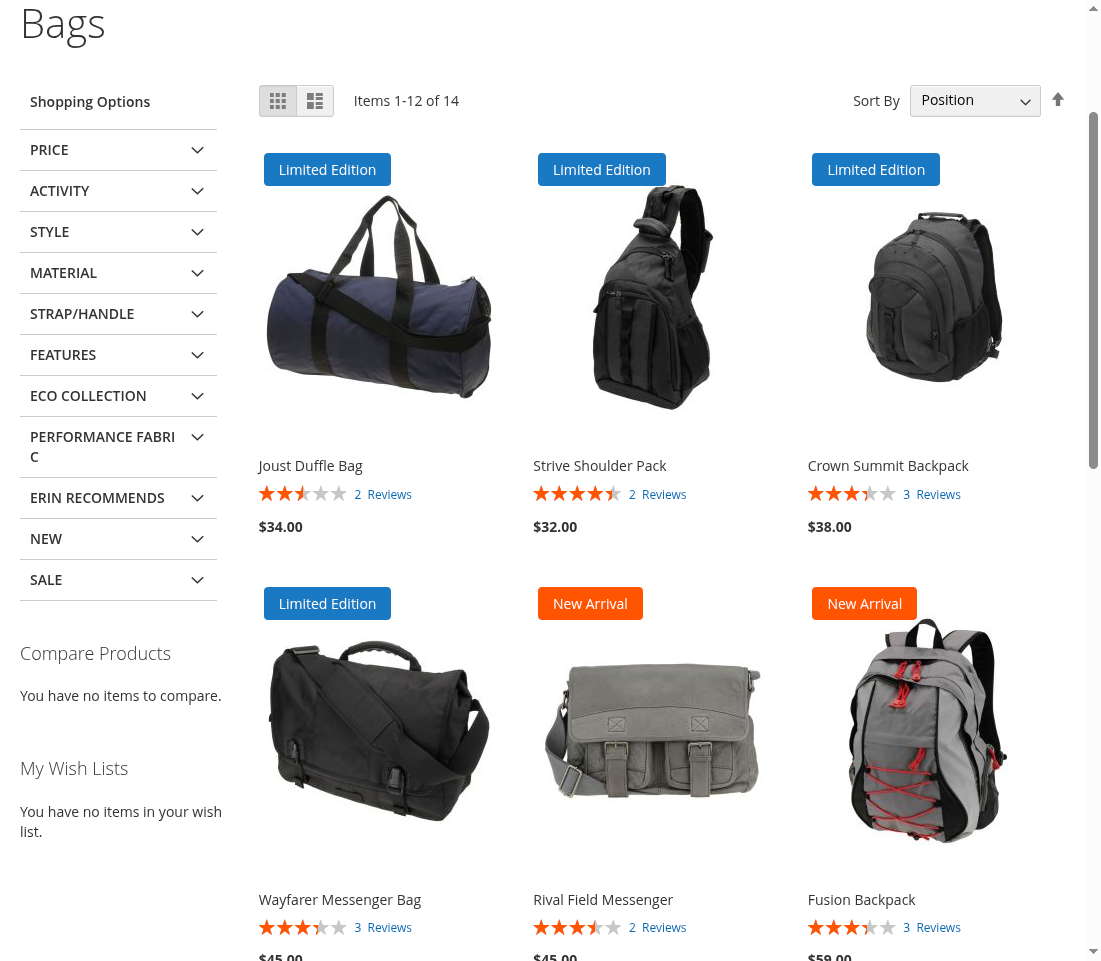
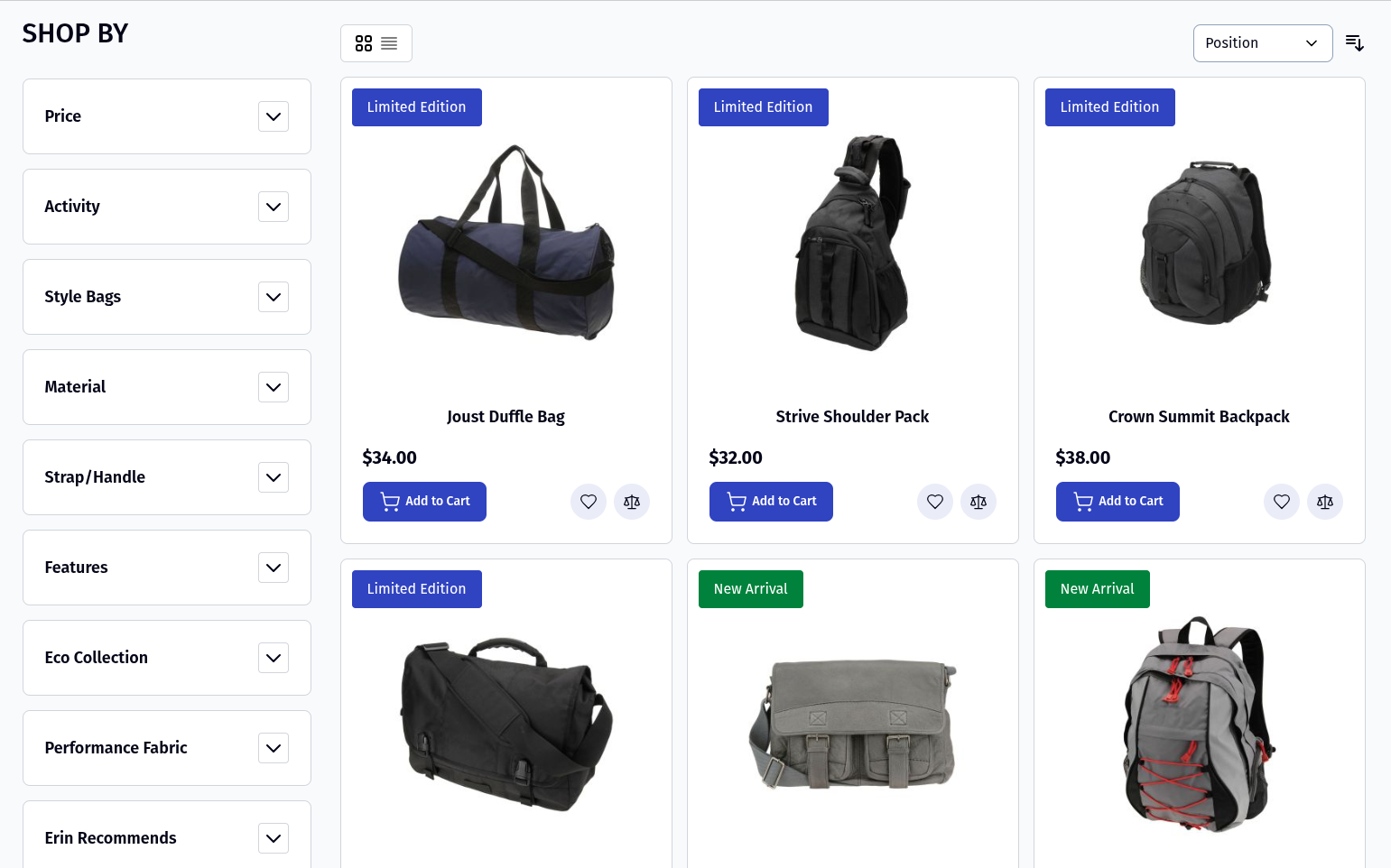
On the category page and other product listing blocks, the selected Simple Label is displayed on the product image.
Product View
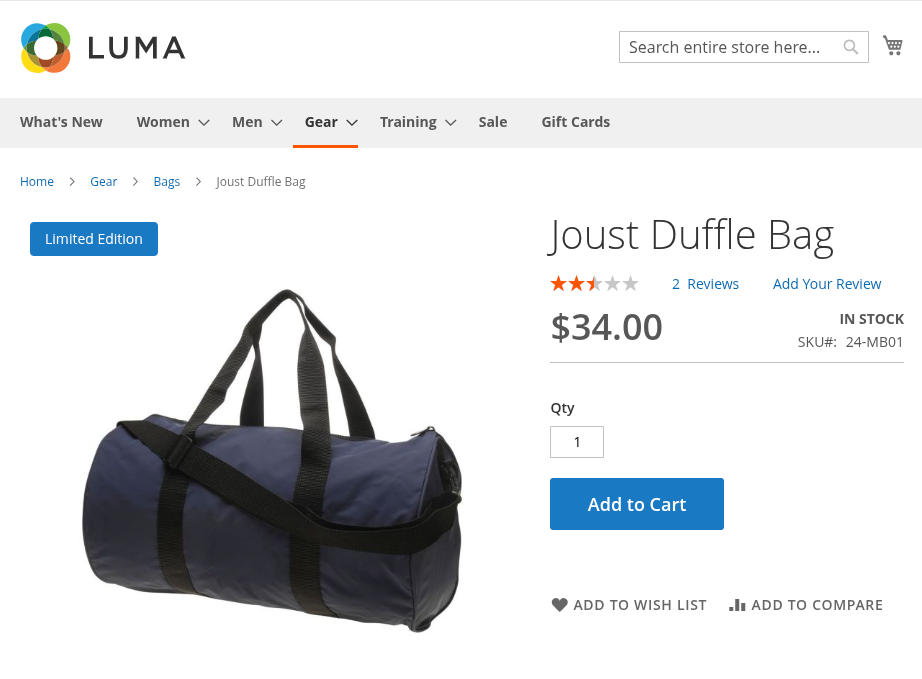
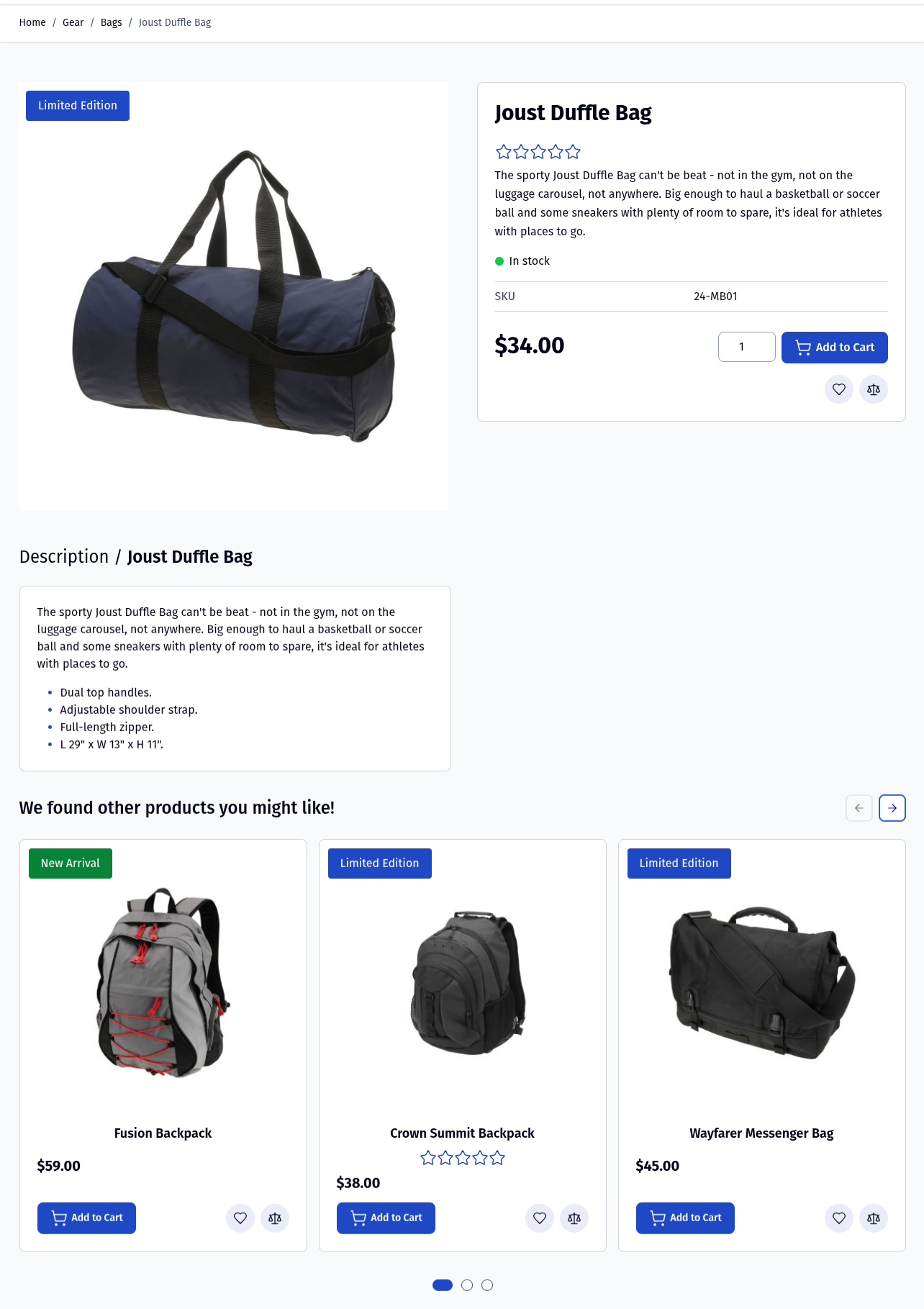
On the product detail page, the assigned Simple Label is displayed on the product image container.
Related, Up-Sells and Cross-Sells
The Simple Label is also shown in:
- Related products
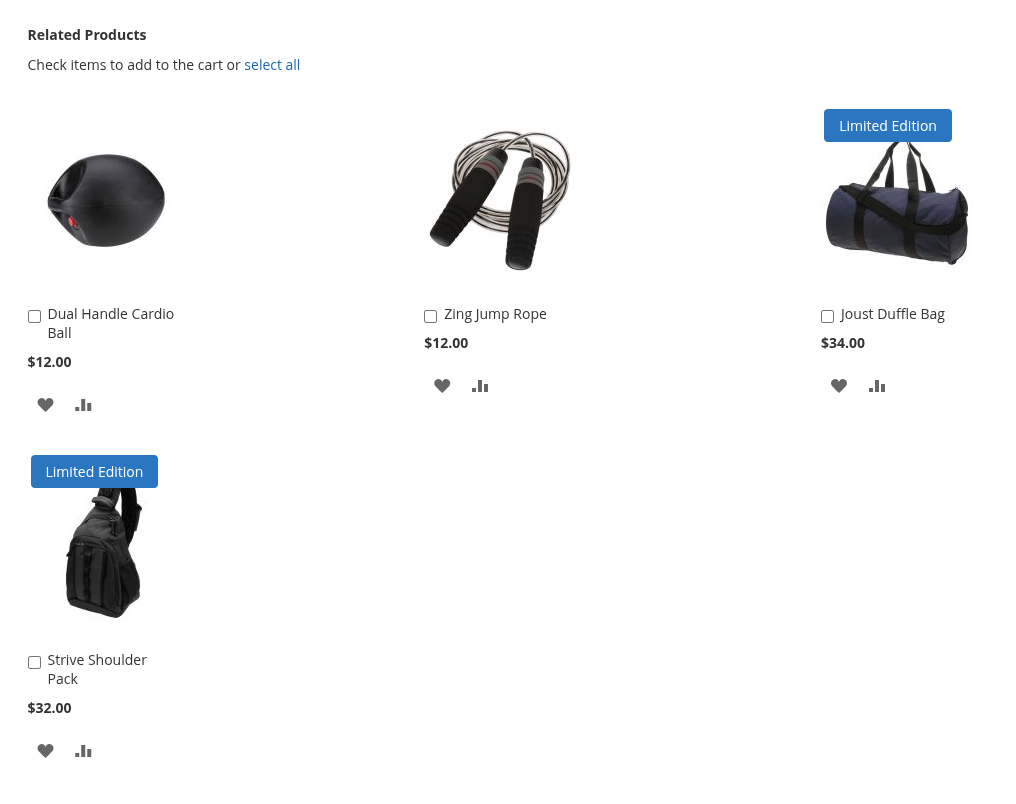
- Up-sell products
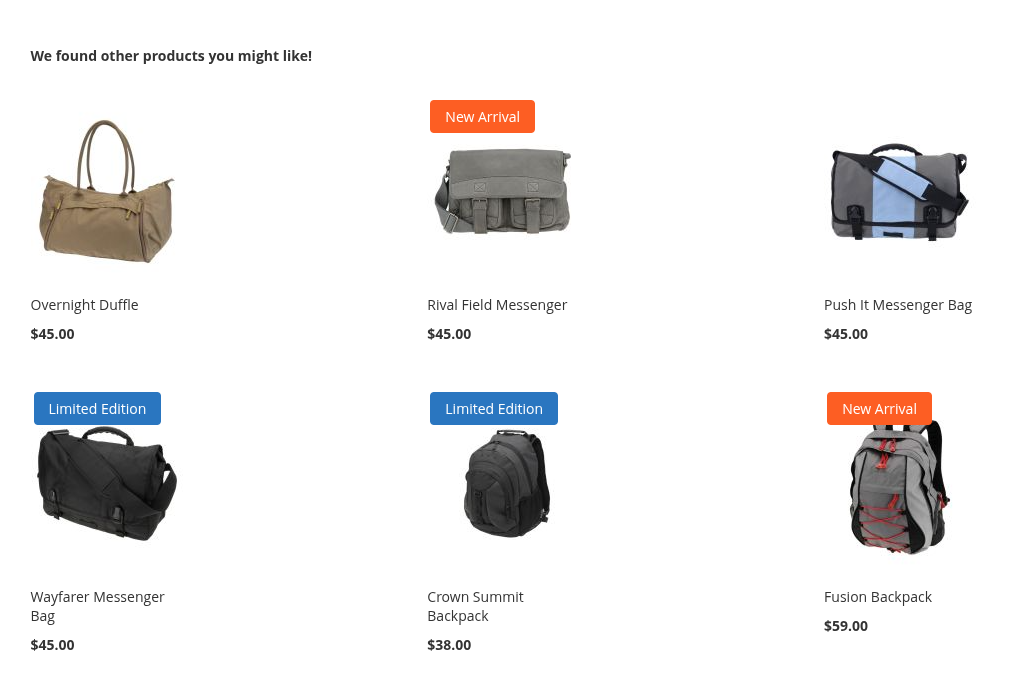
- Cross-sell products
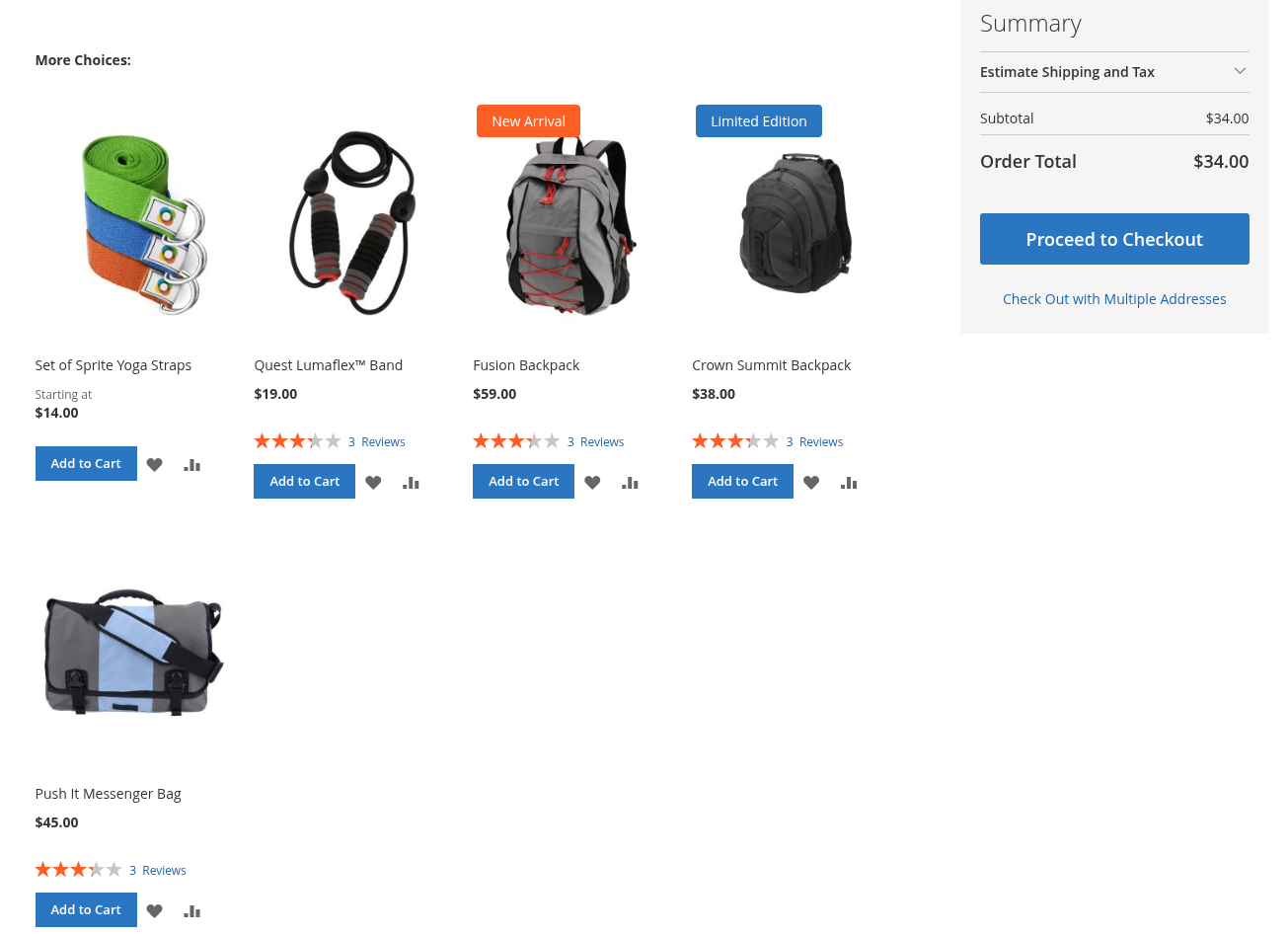
This ensures consistent label visibility across all product listing areas.
Add New Label
Sign in to the Magento Admin panel and navigate to: Marketing ⟶ Simple Labels by Magediary ⟶ Simple Labels
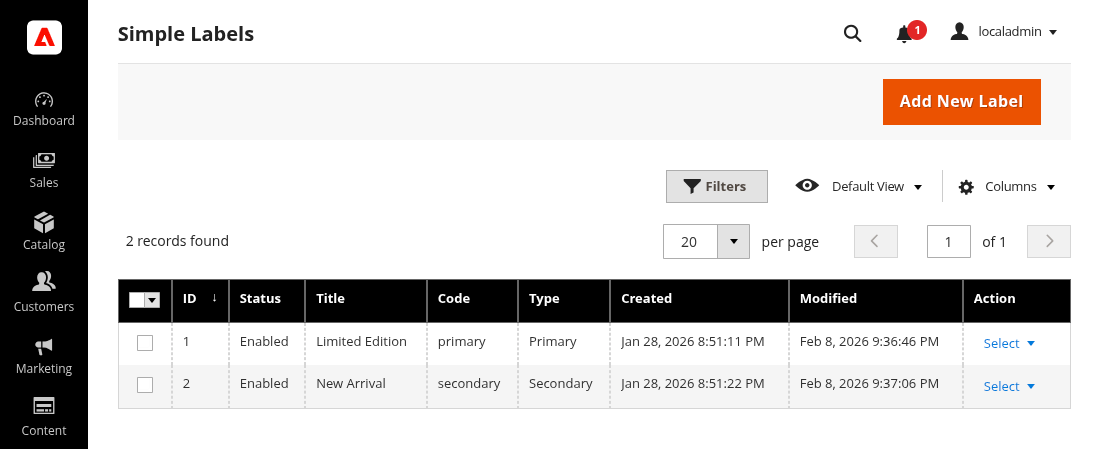
From here, you can manage existing labels or create a new one by clicking Add New Label.
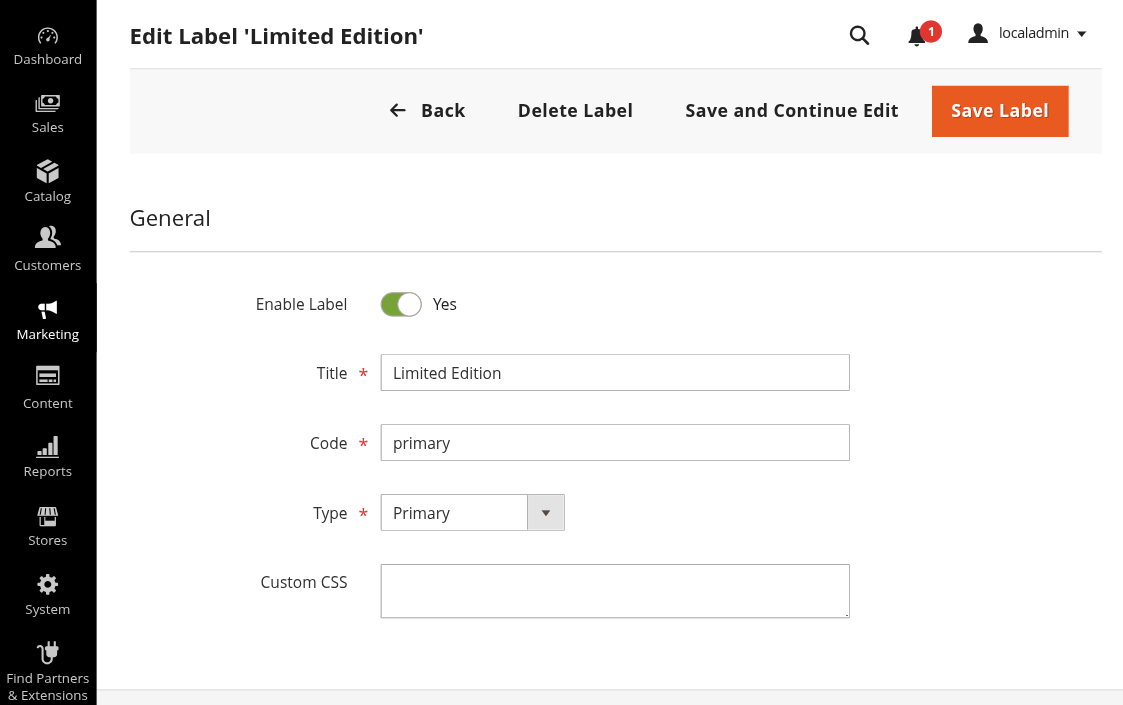
Label Information
Use this form to configure the label details.
Enable Label enable or disable the label.
Title the label text that will be displayed on the frontend.
Code internal identifier for the label. This value is also added as a CSS class on the label element on the frontend, making it useful for custom styling.
Type select one of the following. Based on the selected type, the theme’s default primary or secondary styles (background color etc.) will be applied automatically.
- Primary
- Secondary
Custom CSS add custom CSS styles specific to this label. This is useful if you want to override or extend the default styling.
Assign Label to Product
To display a label on a product, assign it from the product edit page.
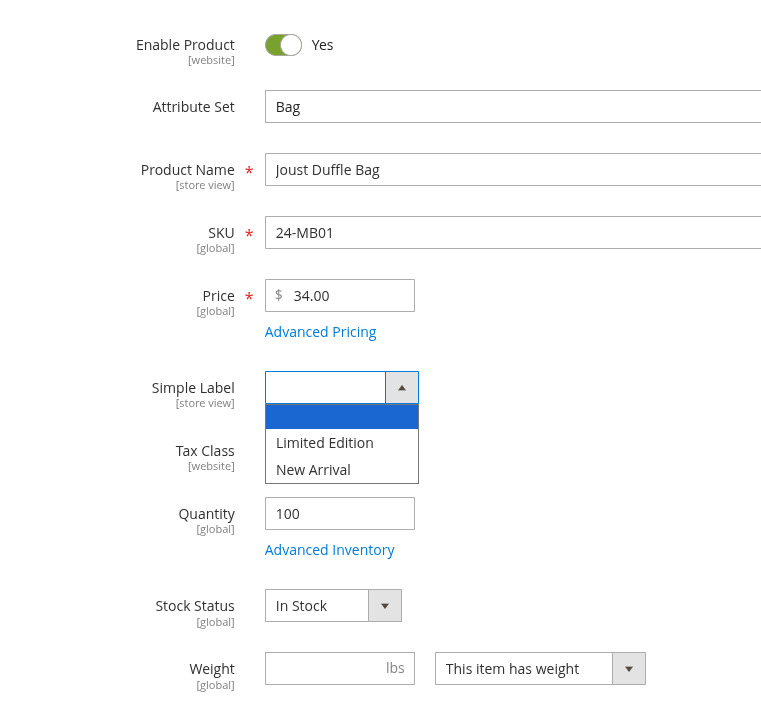
- Go to Catalog ⟶ Products
- Open a product for editing
- Locate the Simple Label dropdown attribute
- Select the desired label
- Save the product
The selected label will now appear on the storefront wherever the product is displayed.
Configuration
Navigate to: Stores ⟶ Configuration ⟶ Magediary ⟶ Simple Labels ⟶ General
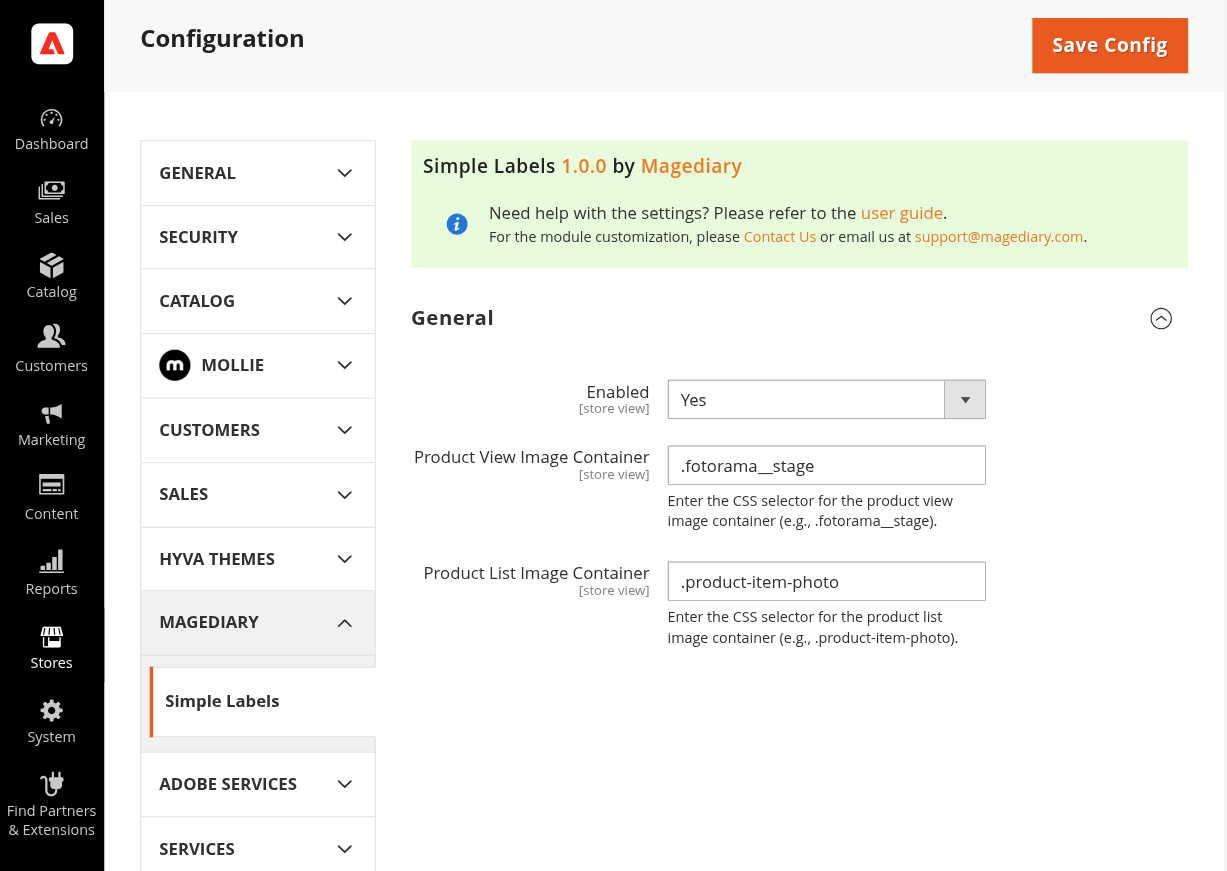
Available configuration options:
Enabled enable or disable the Simple Labels extension globally.
Product View Image Container enter the CSS selector for the product image container on the product detail page.
Example: .fotorama__stage
Product List Image Container
Enter the CSS selector for the product image container used in product listing blocks.
Example: .product-item-photo
These selectors ensure the label is positioned correctly across different themes and layouts.
Hyvä compatible
Product List
Product View
Notes
- Simple Labels is a lightweight alternative to rule-based label extensions.
- Labels are assigned manually per product.
- Fully Hyvä compatible and optimized for performance.
- Ideal for stores that need simple, clean, and easily manageable product labels.